For a few years now, Microsoft Clarity has been offering itself, with some success, as an alternative to the most popular tools for analysing and optimising websites, above all the free Google Analytics and, in terms of features, the powerful Hotjar.
But what exactly is Microsoft Clarity for? And why, if you have a website, could it be worth using?
First of all, Microsoft Clarity is an online service which, although very powerful, is completely free, which your bank account will appreciate.
Once you have signed up, which is very simple (just register at clarity.microsoft.com and enter the domain to install it on), the tool gives you a code to insert between the <head></head> tags of your site. Once this is done, after a few hours Microsoft Clarity will start tracking it and you can access the dashboard.
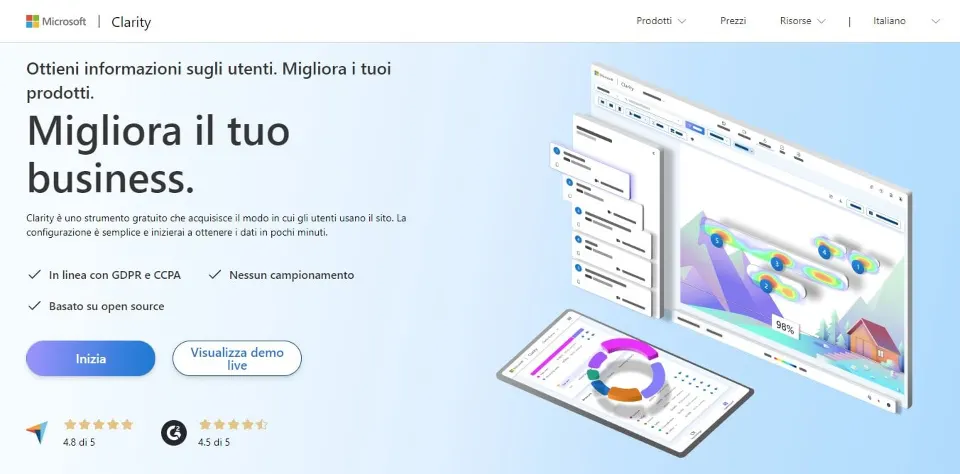
(the Microsoft Clarity home page: despite the "pricing" page, the service is free "forever")
From then on you can carry out an astonishing number of activities, including:
- recording user sessions: Microsoft Clarity records users' sessions on your site so you can review how they interact (in a format that looks like a "video", although you need separate capture software to make actual videos). This is particularly useful for identifying usability problems and improving the site's ergonomics;
- using heatmaps: Clarity offers interactive heatmaps that visually show the areas visitors click and scroll most. This can help you understand which parts are most attractive and where, on the contrary, users may struggle;
- recording clicks: the dashboard shows exactly where users click on the website, letting you assess the effectiveness of your links, buttons and navigation menus;
- analysing mouse movements: Clarity records users' mouse movements, showing how they move and interact with the page. This can help you detect errors, unusual behaviour or confusion while using the site.
Microsoft Clarity also offers filters and segmentation to examine user behaviour by criteria such as geographical origin, device, navigation path and more. It also lets you track user feedback and includes analysis and reporting tools.
Last but not least, Microsoft Clarity is designed to respect privacy, collecting data in aggregated, anonymised form, and is integrated with Microsoft Azure to manage it.
As mentioned, these features make it very useful (essential, in our view!), especially for UXO (user experience optimisation) because, unlike Google Analytics, whose reports require data analysis skills not everyone has, with Microsoft Clarity you can "see" how users interact even without such skills, getting a very clear idea of what works and what doesn't.
This puts you in a position to act promptly to improve usability and reduce the site's "bounce rate". Put simply, the optimisations that come from reviewing user session recordings and heatmaps in particular can increase the time users spend on the site.
And so, in the long run, also very important aspects such as reputation and, for an e-commerce site, sales.
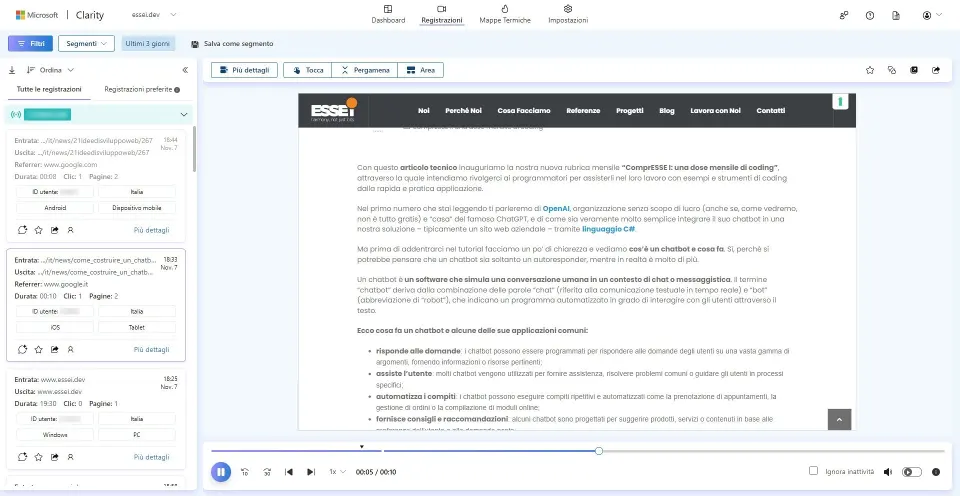
(a user's session recording on our website)
But how does it work?
Besides "pure coding", the services offered by ESSE I also include business intelligence and data analysis, which we carry out with a data-driven approach, that is, making decisions mostly not on the basis of "in my opinion" but of data.
For example, when we design software or a web platform for a client, we collect data beforehand to better understand the needs of its users and customers. In most cases this is coordinated with the client's marketing board or external partner, if there is one.
In this way we offer better advice and solutions for storing, extracting and analysing data, and for optimising business intelligence and business analysis activities. And, if necessary, custom ones too. This means that when we don't use "ready-made" tools such as Google Analytics or Microsoft Clarity itself, that is, when the needs are more specific, we develop proprietary "tailor-made" software, able to track users even more completely without relying on external platforms, preferring fully in-house ones whose data management we also control completely.
That is why we believe that explaining, even in broad terms, how Microsoft Clarity works is very useful to raise awareness, both for those who will simply use this already excellent platform and for those thinking of building their own highly customised tracking system. Perhaps (advert time!) by hiring our team.
Thank you, JavaScript!
So how does this kind of tool work?
The language that performs "the magic" of tracking dynamic activities such as scrolling, tapping, mouse movements and their timing obviously runs on the client side, and it is good old JavaScript.
Using Microsoft Clarity as our guinea pig, let's say that it uses JavaScript to record users' mouse movements on the website through the "mousemove" event: an event fired every time the mouse moves within the browser window. Here is an example of how it might work.
document.addEventListener('mousemove', function (event) {
// Record the coordinates of the mouse movement
var x = event.clientX;
var y = event.clientY;
// Send the coordinates to Clarity for analysis
clarity('track', 'mousemove', { x: x, y: y });
});
Explanation: when a user moves the mouse within the browser window, the "mousemove" function captures the coordinates of the movement (x and y) and sends them, together with the elapsed time (through another function not shown here), to Clarity's servers for analysis, where they are stored through database calls. In this way users' mouse movements are recorded to generate data that can later be displayed as heatmaps or session recordings.
And here is the code which, as we said at the beginning, must be inserted in the website to monitor it asynchronously (the alphanumeric value "xxxxxxxxxx" refers to the site's Microsoft Clarity account):
<script type="text/javascript">
(function (c, l, a, r, i, t, y) {
c[a] = c[a] || function () { (c[a].q = c[a].q || []).push(arguments) };
t = l.createElement(r); t.async = 1; t.src = 'https://www.clarity.ms/tag/'+i;
y = l.getElementsByTagName(r)[0]; y.parentNode.insertBefore(t, y);
})(window, document, "clarity", "script", "xxxxxxxxxx");
</script>
This is not the place to analyse the code on the Microsoft server that this function refers to (and in any case it would not serve the educational purpose of this article), but we want to point out one curious thing: the Microsoft team used the seven letters of the word Clarity as its "arguments"!
The word "clarity" can be read precisely as the goal of the service: helping companies get a clear, understandable view of user behaviour on their website.
A "customer-centric" vision that we obviously share. Not least because we think it goes hand in hand with the one we would have developed:
function (h, a, r, m, o, n, y).