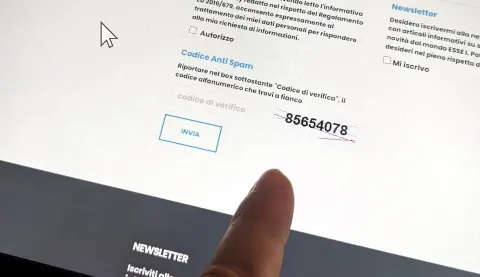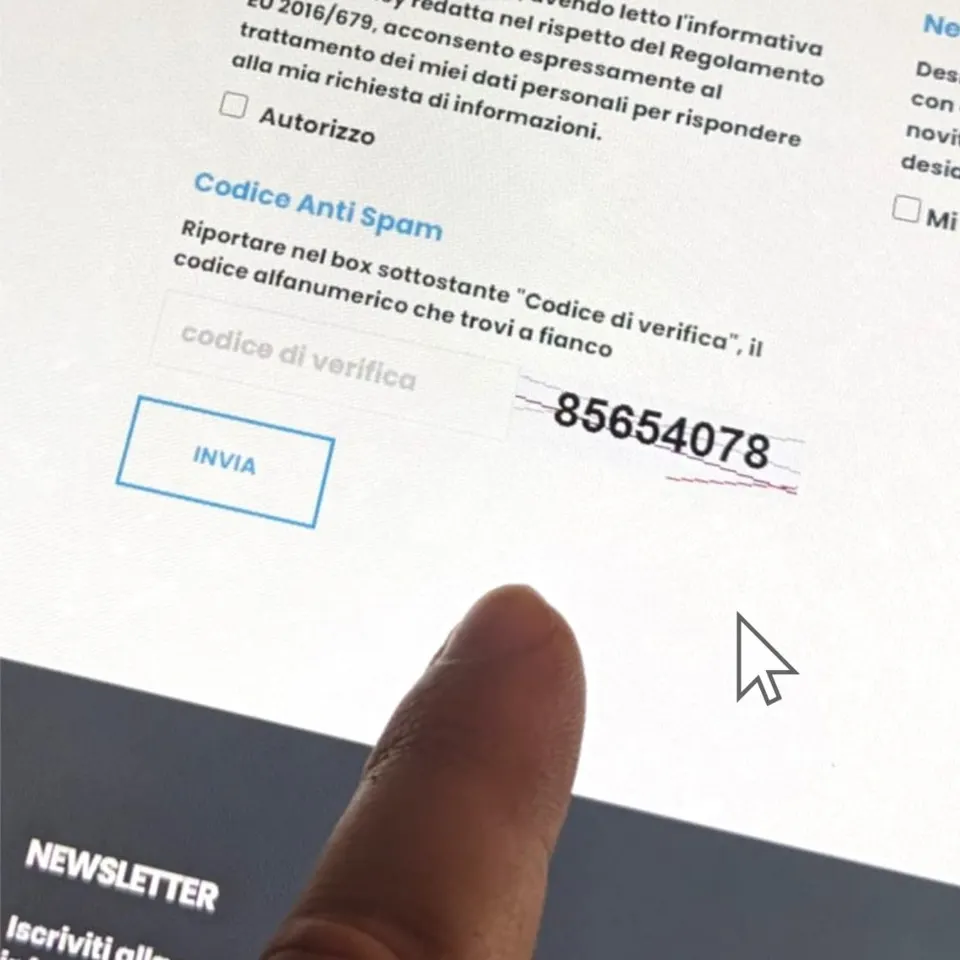
Everyone, not just developers, knows what a "captcha" is: a mechanism that determines whether the user interacting with a site is a human being or an automated program (bot).
Not everyone, however, knows what the word captcha means.
Let us explain.
Captcha is the acronym of Completely Automated Public Turing Test To Tell Computers and Humans Apart.
We are of course talking about Alan Turing, the British scientist considered the father of computer science.
Its main goal is to protect the site from harmful and fraudulent activities such as spam, unauthorised access, information theft and other malicious actions carried out by automated software.
Today, with automation and artificial intelligence ever more widespread and powerful, captchas' ability to do their job is even more decisive. Captchas are in fact among the most important "filters" able to limit potential external threats, especially security-related ones.
But how do they work? And, above all, how do you choose the right captcha for your website or web application to protect your data collection forms from bots?
In this article we will try to answer these questions.
How does a captcha work?
How a captcha works is not always the same, because it varies with the specific type used, but the fundamental idea is always the same: to present a challenge that is relatively easy for a human but difficult for an algorithm or automated program.
Here is how it generally works:
- Generation: when a user visits a web page protected by a captcha, the server generates a challenge requiring an answer that a human can easily give but that a bot will find difficult.
- Presentation: the challenge is presented to the user through distorted text, images, maths problems, image selections, questions and so on.
- User response: the human user must then give the correct answer to the challenge. For example, with a text-based captcha, the user must type the distorted text correctly.
- Response verification: the answer given by the user is sent to the server for verification. If it is correct, the user is considered human and can proceed with the desired action (submitting a form or logging in to an account). If it is wrong, the error is reported and the user is usually asked to try again.
- Adaptation: some captcha systems use machine learning to adapt to users' responses. In this way the system can continually improve its effectiveness in distinguishing between human users and bots.
Which captchas are the most effective and popular?
At present, given their reliability, the two most widespread and used captcha systems are:
- reCAPTCHA: developed by Google, it is one of the most popular and widely adopted captchas. There are several versions, but the most common asks users to select, from a set of images, those matching a given criterion. reCAPTCHA also uses behaviour pattern detection to distinguish between human users and bots. Google offers a free version. To install reCAPTCHA, start here: https://www.google.com/recaptcha
- hCaptcha: similar to reCAPTCHA, hCaptcha is another very popular solution. It asks users to solve visual challenges, such as selecting specific objects in images or typing distorted text. hCaptcha is known for its commitment to user privacy and to rewarding users for taking part through the "hCaptcha Rewards" programme. To install it (yes, there is a free version too): https://www.hcaptcha.com
There are, however, a great many captchas.
Among the others, for its ease of use, its "invisible" mode and the fact that it is free, we recommend Cloudflare Turnstile. To activate it, start at https://www.cloudflare.com/products/turnstile/
OK, but which captcha should you choose?
It isn't an easy question, because every site is different. Having worked in web development for many years, we are confident we could analyse your website and your needs and give you the best advice. By the way, you can contact us here with no obligation.
Still, we want to leave you three tips which, if followed, will lead you to an informed choice.
- Consider the user experience: when choosing a captcha, remember that it must be relatively easy for human users to solve but hard enough to stop bots. Avoid overly complex or confusing ones, because they could discourage legitimate users and harm the site's UX.
- Assess the level of security: ask yourself how secure the captcha solution is at preventing malicious activity. Some captchas, such as reCAPTCHA, use machine learning to adapt to new attack patterns. That's why we strongly recommend them!
- Consider privacy: some users may worry about privacy when interacting with captchas, so look for solutions that respect it without asking users to share excessive personal information. Some solutions, such as hCaptcha, have robust privacy policies and even reward participating users.
The future of captchas
We could say a lot more about captchas; instead, we want to try to predict their future.
Or at least try: captchas are among the tools most destined to evolve to keep up with the growing challenges of technology and cybersecurity.
Some trends are clear. For example, they are becoming ever more user-friendly, invisible and passive. And it is not out of the question that future captchas will require natural interactions, such as answering questions or performing intuitive actions, or that they will use biometric data such as fingerprints or facial recognition.
Developers will try to balance security with usability, devising new ways to tell humans and bots apart effectively and as unobtrusively as possible.
In conclusion
While we wait for such solutions to be built directly into our devices, even before online forms, for now we can only make do with what the market offers, even if it is not always 100% reliable (but what is?), knowing that cybersecurity does not depend only on these – albeit useful – tools, but above all on ourselves, on our knowledge and expertise.
And especially on our experience as human beings.